
Setting Up a Fetal Monitor Cart for Labour & Delivery
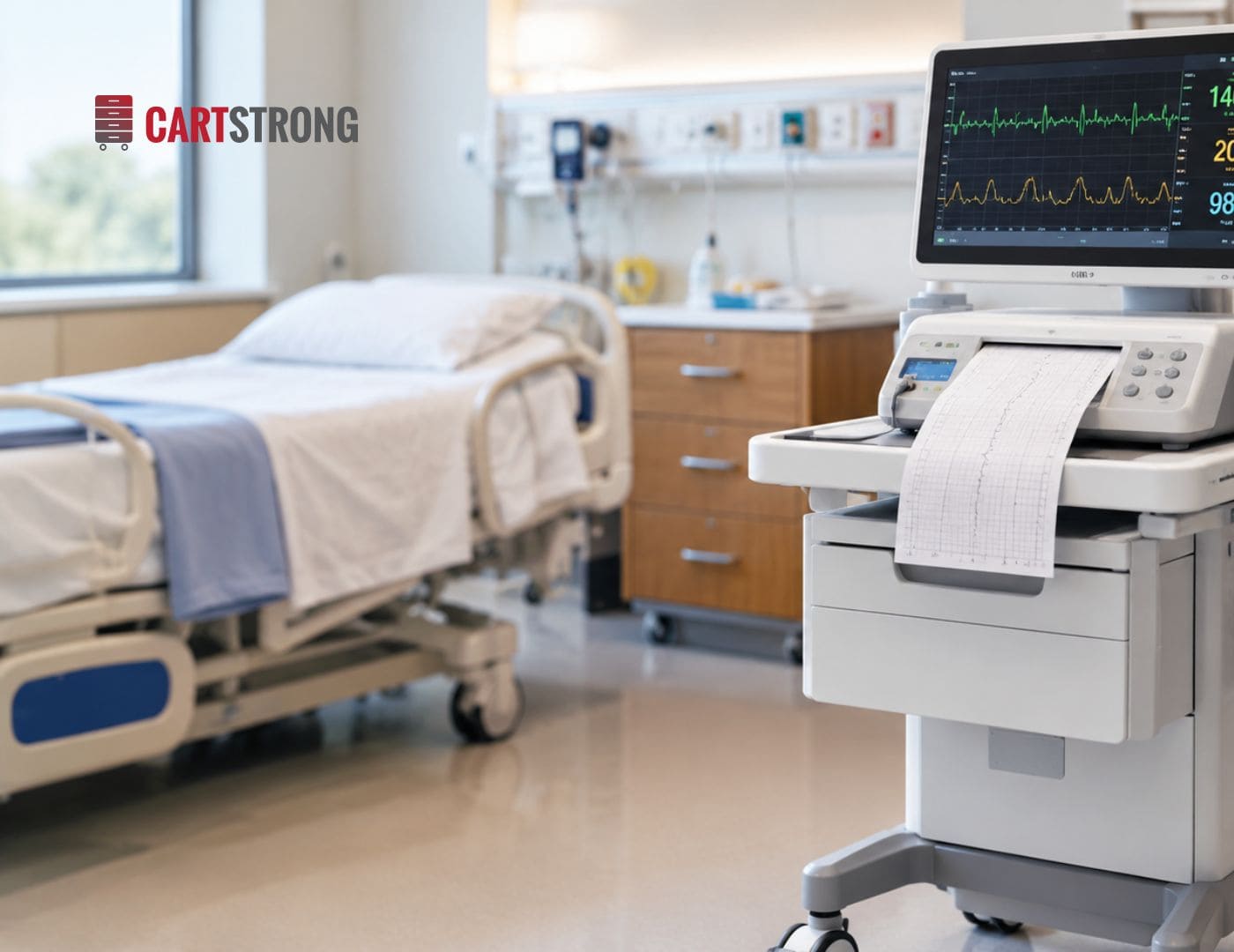
A well-planned fetal monitor cart setup keeps electronic fetal monitoring equipment stable, visible and ready from admission through delivery. The short answer is to mount the monitor at a comfortable viewing height, route every cable before it reaches the floor, organize monitoring supplies by frequency of use, and lock the cart in place at the bedside. This guide walks through each step so your labour and delivery team can standardize setup across every room.
Key Takeaways
- Start with the monitor: confirm its size and choose a single or dual mount or a slide-out tray.
- Set working heights for both charting and viewing before the cart goes into service.
- Route power and data cables through the cart's cord management, not across the floor.
- Organize fetal monitoring supplies with drawer dividers so any nurse can find them quickly.
- Use one standard layout in every room to reduce searching and training time.
Why Does Fetal Monitor Cart Setup Matter?
A fetal monitor cart is a mobile workstation that holds electronic fetal monitoring equipment, charting tools and related supplies at the bedside. In labour and delivery, it often stays in use for hours, so small setup problems become daily frustrations.
Monitoring also needs to run without interruption. The SOGC intrapartum fetal health surveillance guideline notes that electronic fetal monitoring is best interpreted with a continuous tracing of fetal heart rate and uterine activity (SOGC, Journal of Obstetrics and Gynaecology Canada). A stable cart, secure cabling and dependable power all help keep that tracing uninterrupted.
How Do You Set Up a Fetal Monitor Cart? (Step by Step)
Use this fetal monitor cart setup guide as a starting point. Then adjust it to your unit's equipment and protocols.
Step 1: How Should You Mount the Monitor?
Start by confirming the dimensions of your electronic fetal monitoring equipment. Next, choose how it sits on the cart:
- Single or dual monitor mount: raises the display to eye level and keeps it visible from the bedside and the doorway.
- Slide-out fetal monitor tray: keeps the monitor low and lets staff pull it forward for easy access.
Cartstrong fetal monitor carts support both options. The standard cart measures 25″ W × 26″ D × 40″ H, and custom dimensions are available if your monitor or room needs them.
Step 2: What Working Height Works Best?
Nurses chart, scan and watch the tracing from the same cart, often standing. A height-adjustable slide-out keyboard tray lets each nurse set a comfortable typing height. Once the tray is set, pick a monitor position that doesn't force anyone to crane their neck to see the display.
Add a barcode scanner holder and a CPU holder so documentation tools have a fixed home. Tools stay put instead of drifting across the work surface.
Step 3: How Do You Manage Fetal Monitor Cables?
Fetal monitor cable management is where most setups fall short. Loose cables tangle with bed rails, catch on casters and create trip hazards during a busy delivery.
- Plug equipment into a cart-mounted power strip so you only run one cord to the wall.
- Route data and power cables through the cart's built-in cord management.
- Use the cart's venting so the CPU and monitor have airflow.
- Leave enough slack to move the cart without unplugging transducers.
Step 4: How Should You Organize Fetal Monitoring Supplies?
Organize drawers by how often each item gets used. Keep high-use supplies in the top drawer and backup stock lower down. Drawer dividers keep small items separated, and a basket holds bulkier supplies within reach.
Step 5: How Do You Secure and Position the Cart?
Park the cart where the nurse can see both the patient and the display. Then lock the casters. Cartstrong carts roll on 5″ casters, two locking and two non-locking, so the cart moves easily but stays put once positioned.
Add electronic or key locks if your unit stores items that need restricted access.
Fetal Monitoring Equipment Checklist
Use this checklist to stock and organize each fetal monitor cart consistently. Adapt the supply list to your unit's protocols.
| Item | Where It Goes on the Cart |
|---|---|
| Fetal monitor | Single or dual monitor mount, or slide-out fetal monitor tray |
| Keyboard and mouse | Height-adjustable slide-out keyboard tray |
| CPU | CPU holder, with venting for airflow |
| Barcode scanner | Barcode scanner holder |
| Power and data cables | Power strip and built-in cord management |
| Transducer belts, gel and recording paper | Top drawer, separated with drawer dividers |
| Backup supplies and cleaning wipes | Lower drawers or basket |
| Restricted items | Drawer with electronic or key lock |
For a closer look at each option, see our guide to fetal monitor cart features and accessories.
How Does the Fetal Monitor Cart Work With Other Labour and Delivery Equipment?
The fetal monitor cart rarely works alone. In most birthing rooms, it sits alongside a delivery cart that holds birth supplies.
Splitting the jobs keeps each cart focused. The fetal monitor cart handles monitoring and charting, while a delivery cart stores birth supplies, with a flip-up side table and an optional pass-thru drawer. When both carts share the same finish and drawer logic, nurses know where everything is in every room.
What About Cleaning Between Patients?
Monitoring carts are touched constantly during labour, so cleaning matters as much as layout. In Ontario, PIDAC best practices recommend that care-area equipment be cleanable, nonporous and seamless (PIDAC, Public Health Ontario).
Cartstrong fetal monitor carts are built from health-grade laminate designed for regular disinfection. Antimicrobial and stainless steel versions are available for units with stricter IPAC priorities. Antimicrobial surfaces protect the product itself but don't replace routine cleaning.
Standardizing Fetal Monitor Cart Setup Across Your Unit
A consistent fetal monitor cart setup gives every nurse the same layout, the same cable routing and the same supply locations in every room. That consistency saves time during busy shifts and makes onboarding new staff easier.
Cartstrong designs and builds fetal monitor carts in Concord, Ontario, with configurable mounts, trays, drawers and locks. Each cart is backed by a standard 5-year warranty. To configure carts for your birthing unit, speak with the Cartstrong team or call 1-888-402-CART (2278).